
A free online tool for scoring LogMAR charts. Tap the letters the patient misses and the scorer works out the LogMAR score, Snellen equivalent and letters read – on a phone, tablet or PC.
Try it here
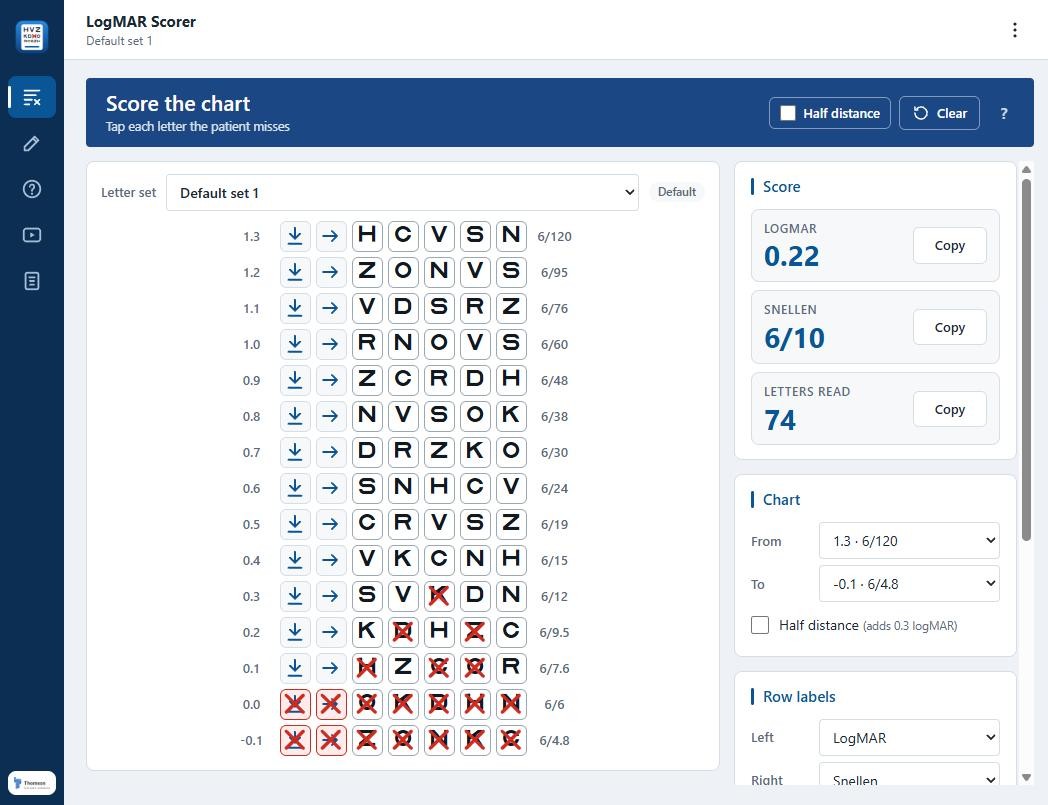
This practice chart works just like the real scorer. Tap a letter to cross it out, use the arrow buttons to miss a whole row (→) or a row and everything below it (↓), and watch the score update.
Getting started
- Open LogMAR Scorer in your web browser – there is nothing to install.
- Choose the letter set that matches the chart your patient is reading.
- Check that From and To match the first and last rows of your chart.
- As the patient reads, tap each letter they miss. It is crossed out in red – tap it again to undo.
- Read off the LogMAR score, the Snellen equivalent and the number of letters read. Tap Copy to paste a score into your records.
- Press Clear to start again with the next patient.
Scoring shortcuts
Tap
A single letter
Tap a letter the patient gets wrong to cross it out. Tap it again to undo.
→
The whole row
The right-arrow button misses (or un-misses) every letter on that row.
↓
This row and below
The down-arrow button misses that row and every row below it – handy when the patient stops reading.
Clear
Start again
Removes all the crosses, ready for the next patient.
How the score is worked out
The LogMAR score is the logMAR value of the last row shown, plus 0.02 for every letter missed. Each letter on a LogMAR chart is worth 0.02, so a row of five letters is worth 0.1.
Example: on a chart that ends at −0.1, a patient who misses 16 letters scores −0.10 + 16 × 0.02 = 0.22 logMAR. The scorer also shows the Snellen equivalent (6/10) and the number of letters read (74).
Testing at half distance
If your patient cannot read the top of the chart, you can bring them to half the testing distance.
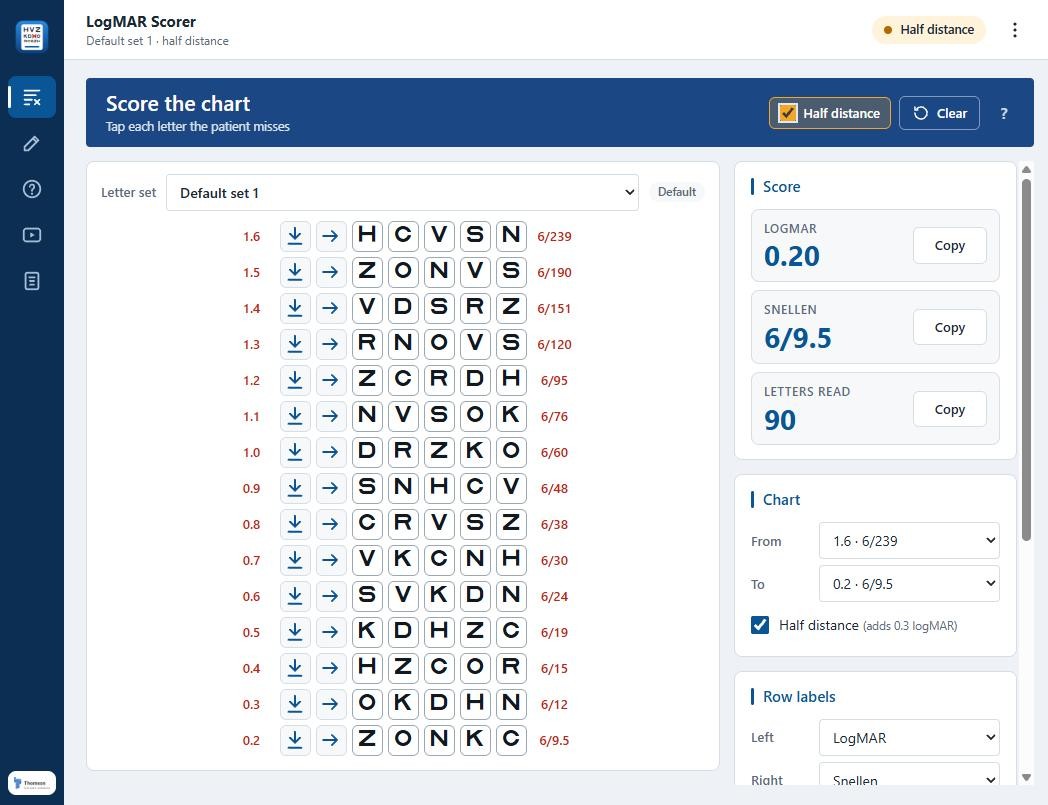
Tick Half distance and the scorer adds 0.3 logMAR to every row. The row labels turn red and a reminder appears at the top of the screen, so there is no doubt how the score was measured.
Your own letter sets
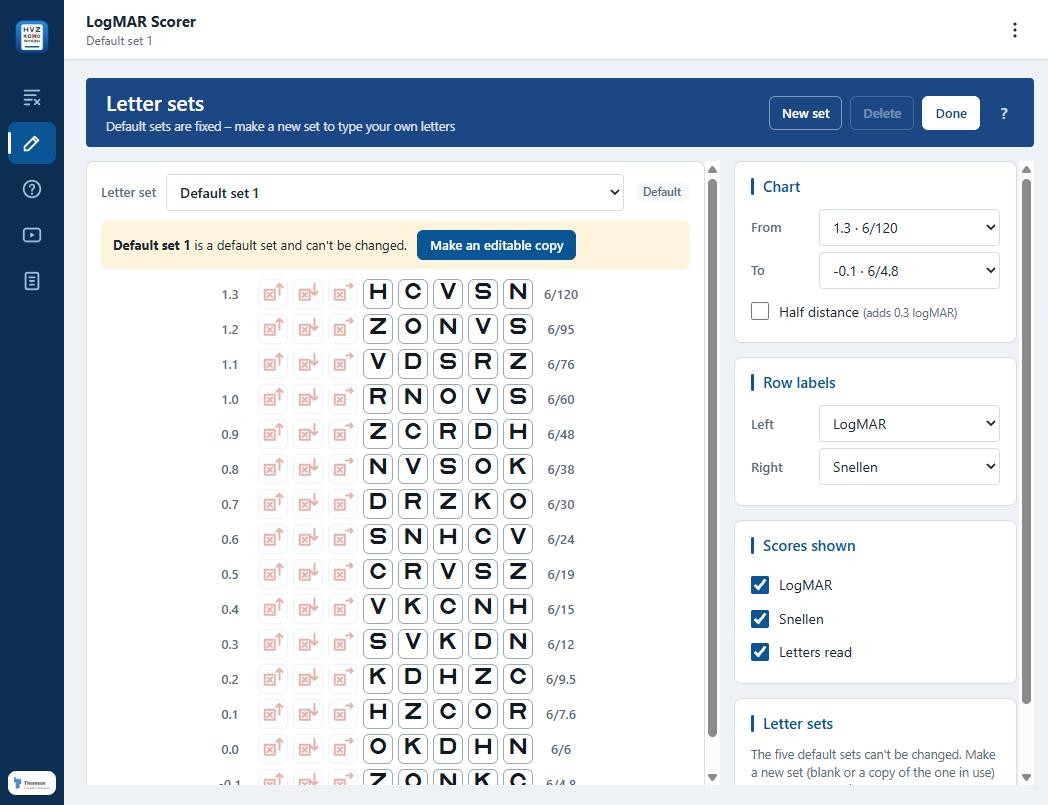
Five default letter sets are built in. If your chart uses different letters, you can make your own:
- Open Letter sets and choose New set – start with a blank set or a copy of the one in use.
- Tap a box, then a letter on the keypad, or type on a keyboard. Only the Sloan letters C D H K N O R S V Z are used.
- Use the fill buttons to add random letters to a row, or to every row above or below.
- Your sets are saved on your device as you type. The five default sets can’t be changed or deleted.
Options
- From / To – choose the first and last rows shown, so the scorer matches your chart (anywhere from 1.6 to −0.4)
- Row labels – show LogMAR, Snellen, letters read or nothing on each side of the chart
- Scores shown – choose which of LogMAR, Snellen and letters read are displayed
- Your choices are remembered on your device
- Works on phones, tablets and PCs – and can be installed as an app
- A choice of white, black or blue colour themes