
Software to send you to sleep! PC SunScreen tints your screen to follow natural daylight through the day.
Watch your screen change through the day
From a faint cool tint in the daytime to a warm sunset colour at bedtime – PC SunScreen changes your screen so gradually you will hardly notice. Press Pause or drag the slider to try any time of day.
What is it?
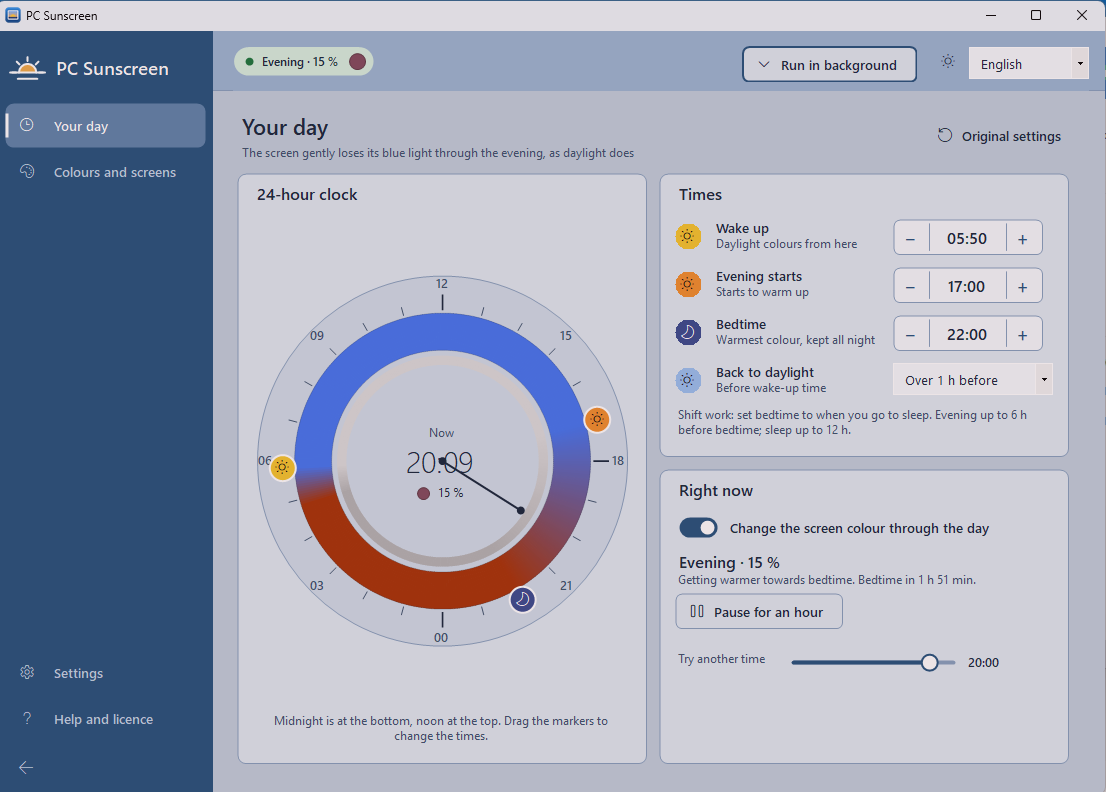
PC SunScreen is a free app for Windows PCs that automatically adjusts your screen colour to mimic natural daylight – gradually increasing the blue content from dawn to midday, then reducing it in the hours before bed.
It is designed for people who use a PC in the evening and have difficulty getting off to sleep. There may be many causes, but gradually removing blue light from the screen may help.
Your whole day is shown on a 24-hour clock. Set when you wake up, when the evening starts and when you go to bed – just drag the markers – and the Right now panel shows the current colour and how long it is until bedtime.
Your colours, your screens
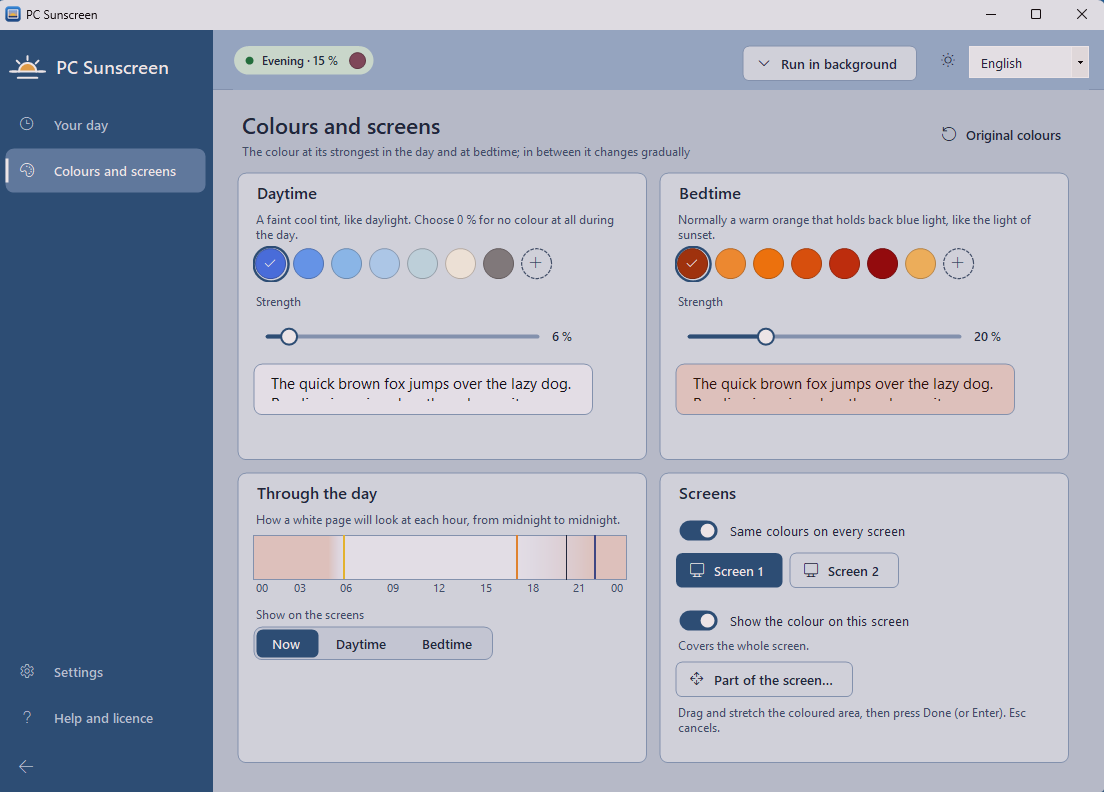
Choose the daytime and bedtime colours and how strong each one is. A sample of text shows exactly what you will see, and the Through the day bar previews how a white page will look at every hour from midnight to midnight.
Use the same colours on every screen, or set each monitor separately to allow for differences in colour reproduction. You can also tint just part of the screen – handy if you need an untinted area for colour-critical work.
Key features
- A 24-hour clock shows your day at a glance – drag the markers to set wake-up, evening and bedtime
- Colours change gradually: a faint cool tint by day and a warm, sunset colour at bedtime
- Built for shift work and unusual sleep patterns – the evening can start up to 6 hours before bedtime, and sleep can last up to 12 hours
- Choose your own daytime and bedtime colours and their strength, with a live preview
- Different colour schemes for each monitor
- Tint the whole screen or just part of it
- Pause for an hour with one click, or turn the colour off at any time
- Runs quietly in the background
Why daylight colour matters
The colour of daylight changes through the day. At dawn and dusk much of the blue light is scattered – giving us red skies – and the blue content peaks around midday.
The brain uses this change to set its internal clock, which is one reason we feel sleepy in the evening. Looking at a bright, blue-rich screen late in the evening may disturb this process and make it harder to get to sleep.
The science
465–470 nm
Blue light at these wavelengths is detected by light-sensitive cells in the eye that signal the brain’s body clock (the SCN)
63%
of people reported “inadequate” sleep in one recent study
95%
use some kind of electronic device in the hour before bed at least a few nights a week
PC SunScreen was one of the first apps to adjust the screen to simulate natural daylight. Apple and Microsoft have since built similar features into their operating systems, but PC SunScreen gives you more flexibility over your sleep times and the exact screen colours.
Download – free
Free download
PC SunScreen
Download the free app from our online store. We hope you enjoy it – do let us know if it helps!